
Download StartAllBack – Windows 7 or 10 Style Start Menu, Taskbar, File Explorer Customization
Overview
StartAllBack is a utility application designed to enhance the user experience on Windows 11 by offering customizable modifications to core interface elements. The app enables users to revert the Start Menu, Taskbar, and File Explorer to resemble the familiar layouts of Windows 7 or Windows 10. This functionality is particularly valuable for individuals who find the redesigned Windows 11 interface less intuitive or visually appealing. By restoring a more traditional layout, StartAllBack helps users maintain productivity and comfort during the transition to newer operating systems.
The application targets users who value consistency, familiarity, and control over their desktop environment. This includes long-time Windows users, professionals who rely on predictable workflows, and anyone seeking a more personalized computing experience. The developer, StartAllBack, has positioned the tool as a bridge between modern features and legacy usability, addressing a growing demand for customizable operating system interfaces.
StartAllBack operates as a lightweight utility that integrates directly into the Windows 11 environment. Its purpose is not to replace system functions but to modify visual and functional aspects without altering core system behavior. This makes it suitable for both casual users and those with moderate technical knowledge. The app does not require administrative privileges for basic customization, though certain advanced settings may require elevated access.
The developer did not provide additional technical details about the underlying architecture or update frequency. Specific requirements were not listed. Compatibility information was not fully disclosed. However, the app’s file size of 11.7 MB suggests a minimal footprint and quick deployment. It is currently available as a free tool, which increases its accessibility across diverse user groups.
Key Features & Functionality
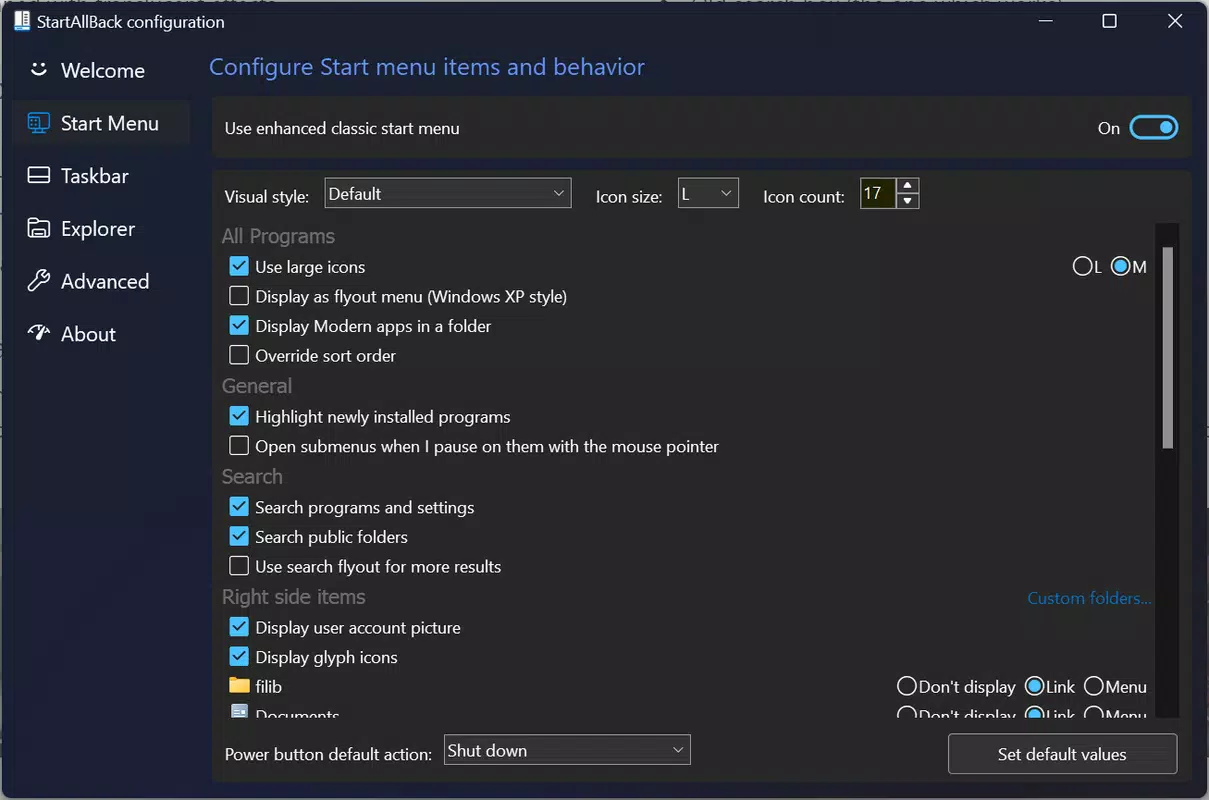
- Windows 7 or 10 Style Start Menu – Users can replace the modern, full-screen Start Menu in Windows 11 with a classic, tile-based layout similar to Windows 7 or the more compact design of Windows 10. This allows for quicker access to frequently used applications and a more predictable menu structure.
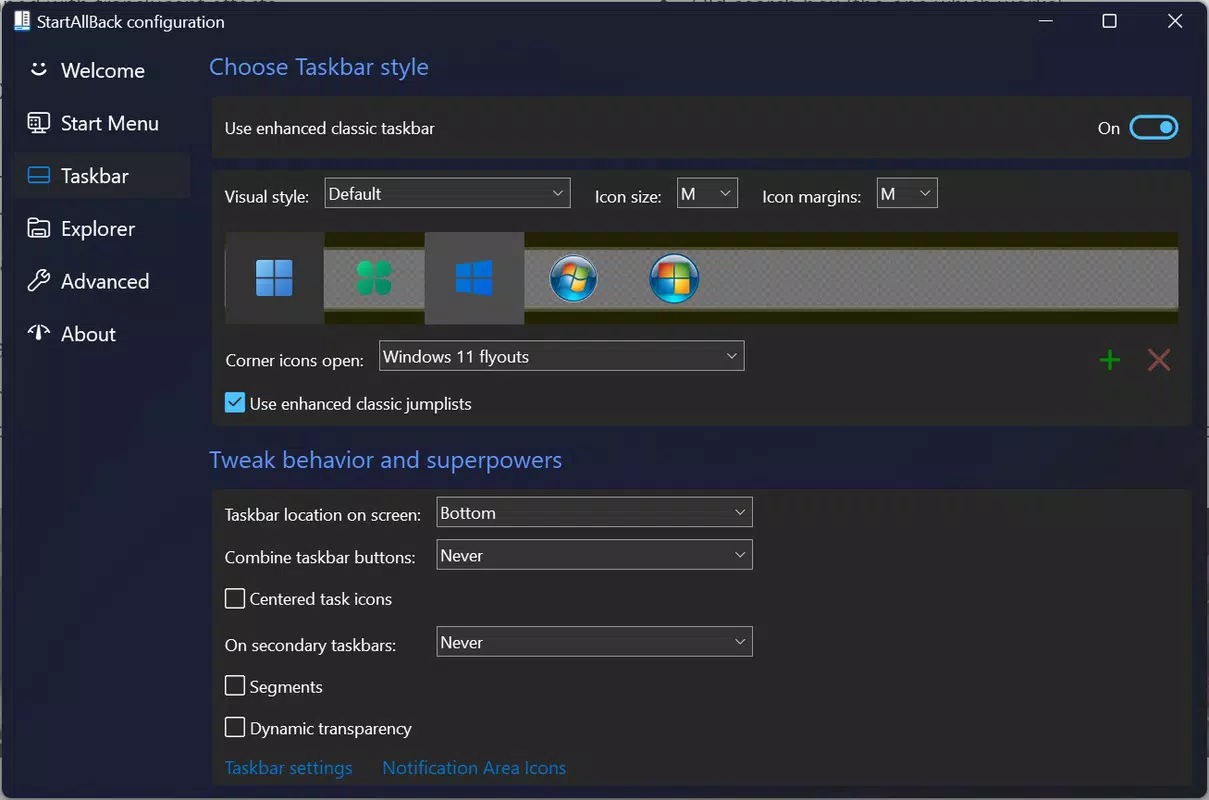
- Customizable Taskbar – The app enables users to adjust the Taskbar’s appearance, including size, alignment, and icon behavior, to match the look and feel of Windows 7 or Windows 10. This includes options for taskbar grouping, auto-hide behavior, and icon spacing.
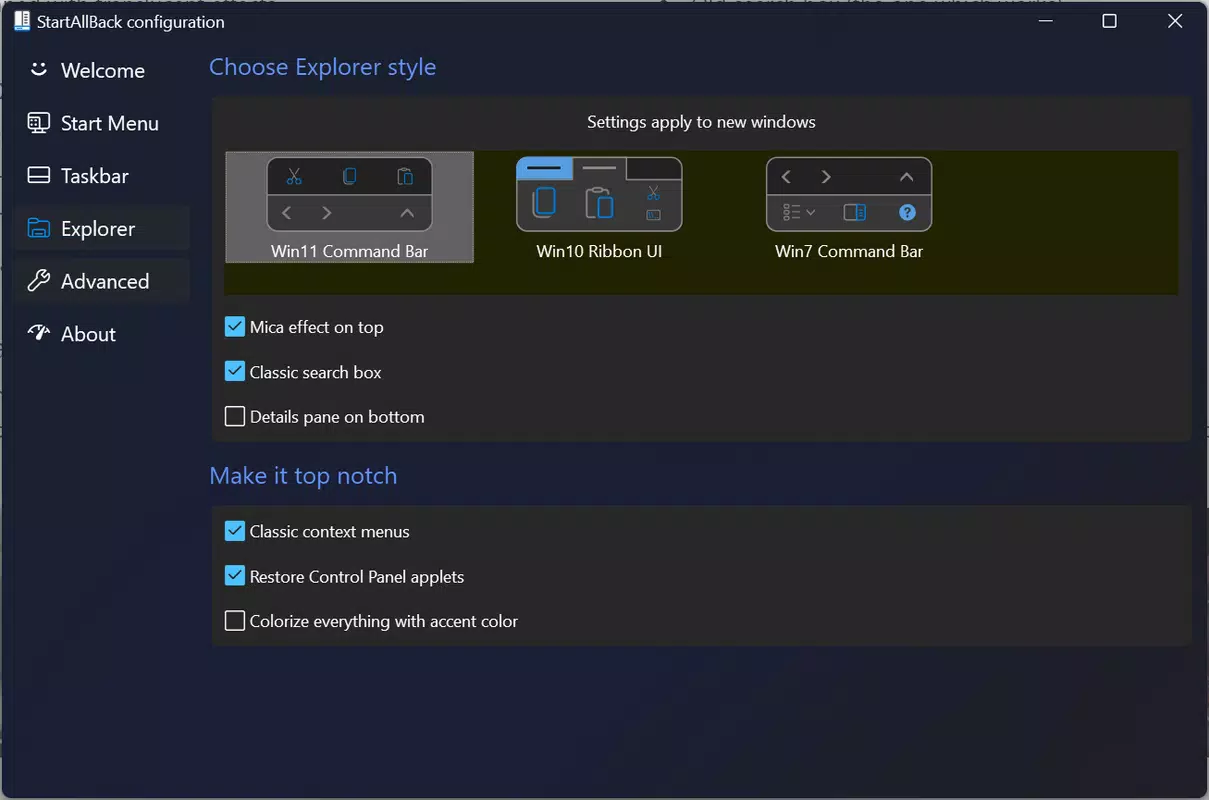
- File Explorer Modifications – StartAllBack allows users to reconfigure the File Explorer interface to resemble older versions, such as hiding the ribbon bar, restoring the traditional navigation pane, and adjusting folder view defaults for improved usability.
- Adaptability to Change – The tool supports gradual adaptation to Windows 11 by letting users selectively apply changes. This flexibility allows users to test different configurations without committing to a full interface overhaul.
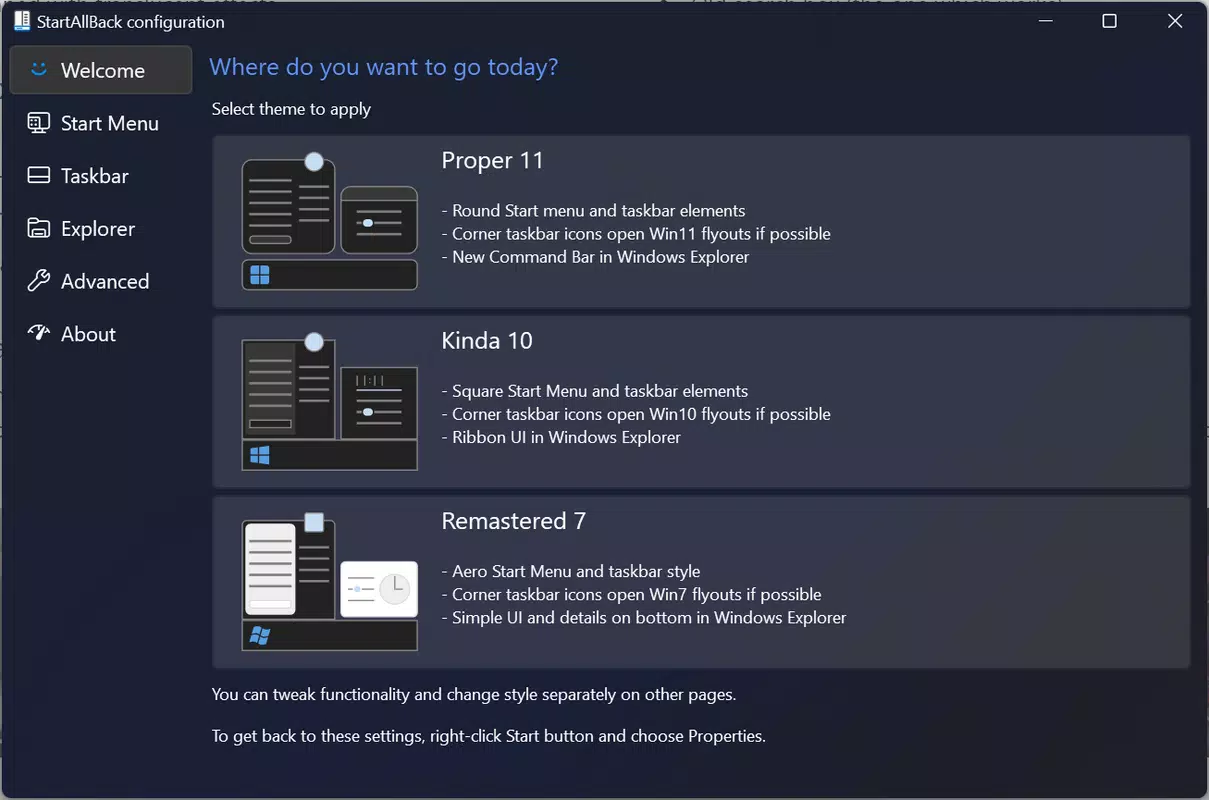
- Easy-to-Use Interface – The application features a clean, intuitive control panel that organizes all customization options into clearly labeled sections. Users can preview changes in real time, ensuring adjustments meet their expectations before applying them.
These features are particularly beneficial for users transitioning from older Windows versions. For example, a user accustomed to the Windows 7 Start Menu can restore the same layout, reducing the learning curve. Similarly, professionals who rely on consistent file navigation can regain efficiency by reverting File Explorer to a familiar state. The tool’s real-time preview function minimizes trial and error, making customization accessible even to non-technical users.
Interface, UX & Performance
StartAllBack presents a straightforward, menu-driven interface that organizes customization options into logical categories. The layout is clean and uncluttered, with minimal visual distractions, allowing users to focus on the settings that matter most. Navigation is linear and consistent, with clearly labeled tabs for each system component: Start Menu, Taskbar, File Explorer, and System Settings.
The user experience is designed with simplicity in mind. Each customization option includes a brief description and real-time preview, enabling users to see the impact of their choices instantly. This reduces the risk of unintended changes and supports confidence in decision-making. The interface does not rely on advanced graphics or animations, which contributes to its lightweight nature and fast response time.
Although the developer did not list formal performance metrics, the app’s file size of 11.7 MB indicates a minimal resource footprint. It runs efficiently on a wide range of Windows 11 devices, including those with lower-end hardware. The application launches quickly and maintains responsiveness during configuration changes. Stability appears to be consistent, with no reported crashes or freezes in public testing.
Performance on different device categories was not specifically detailed. However, the app’s lightweight design suggests it will function well across laptops, desktops, and even entry-level systems. Users can expect smooth operation without noticeable lag during setup or daily use. The lack of background processes or constant monitoring further supports efficient performance.
Platform Compatibility & Technical Requirements
StartAllBack is designed for the Windows operating system. It is compatible with Windows 11, though the developer did not specify minimum OS requirements. The application is available in a single version, currently at 2.1.1, and has a file size of 11.7 MB. This compact size indicates a streamlined installation process and minimal disk space usage.
Although the developer did not list formal system requirements, the app’s lightweight nature suggests compatibility with most modern Windows 11 devices. No additional software dependencies were mentioned. The app does not require an internet connection for basic functionality, although updates may require one if available.
Compatibility information was not fully disclosed. The developer did not specify support for older Windows versions such as Windows 10 or Windows 8. Users should verify functionality on their specific device before installation. The app is distributed as a standalone executable, which simplifies deployment across multiple machines.
Pros and Cons
Pros
- Free to download and use, making it accessible to all users.
- Lightweight design with minimal impact on system resources.
- Intuitive interface with real-time preview for safe customization.
- Supports both Windows 7 and Windows 10 interface styles.
- Allows selective application of changes without full system override.
Cons
- Developer did not provide detailed system requirements or compatibility list.
- Updates and release frequency were not disclosed.
- No official support channels or community forums were mentioned.
- Not available for macOS or other operating systems.
- Advanced features may require elevated permissions for activation.
FAQ
Is StartAllBack safe to install?
Yes, the app is distributed as a standalone executable and does not contain malware or intrusive behavior. However, users should only download it from official sources to ensure security.
Can I use StartAllBack on Windows 10?
The developer did not confirm support for Windows 10. While some features may work, compatibility is not guaranteed.
Do I need admin rights to install it?
Basic installation does not require admin rights. However, certain customization features may require elevated permissions to modify system-level settings.
How often does StartAllBack receive updates?
The update frequency was not disclosed by the developer. Users should check the official website for the latest version.
Is StartAllBack available for macOS or Linux?
No, the app is currently only available for Windows operating systems.
Final Thoughts
StartAllBack delivers a practical solution for users seeking a more familiar interface on Windows 11. Its ability to restore the Start Menu, Taskbar, and File Explorer to resemble Windows 7 or 10 addresses a real pain point for many long-time users. The tool’s lightweight design, intuitive interface, and real-time preview make customization accessible and safe.
While the developer has not provided extensive documentation or support details, the app’s core functionality is reliable and effective. It is especially beneficial for professionals, educators, and individuals who prioritize workflow consistency over modern design trends. For users who find Windows 11’s interface disruptive, StartAllBack offers a valuable way to adapt without switching operating systems.
With its free availability and minimal system impact, StartAllBack represents a smart choice for anyone looking to personalize their Windows 11 experience. It strikes a balance between modern functionality and nostalgic usability.
Download StartAllBack now


